
Keep the original test result authoritative
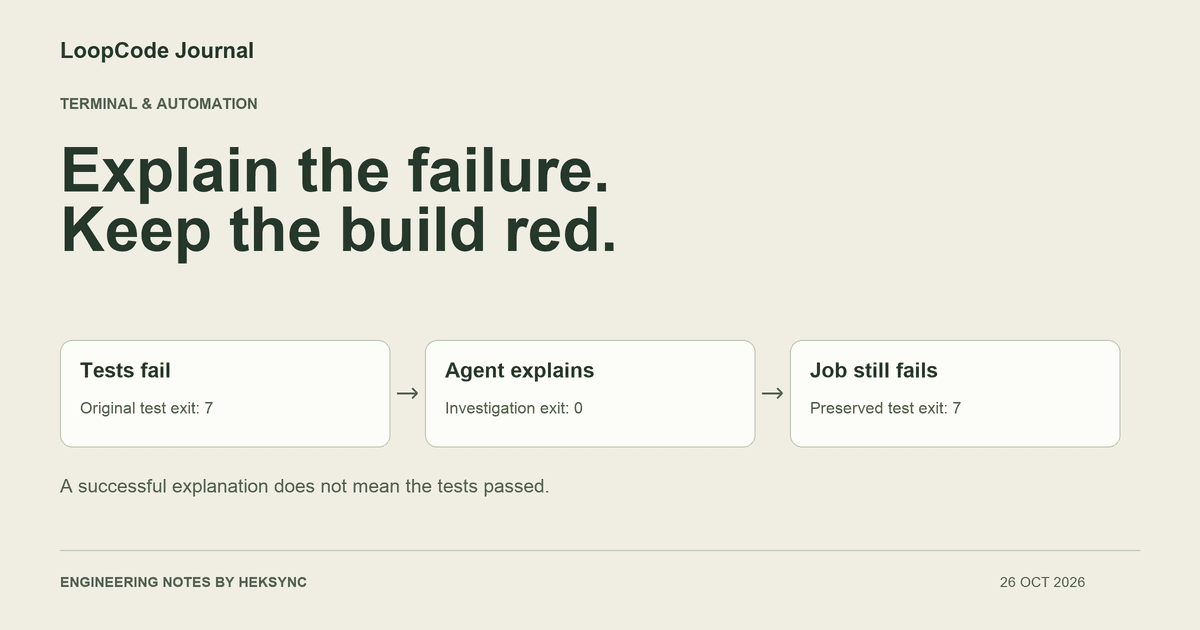
A common integration mistake is to run tests, ask an agent what happened, and let the agent command become the job's final result. If that command exits successfully, the CI step may appear green even though no test was fixed. The explanation succeeded; the application did not.
Keep those outcomes separate. The test runner decides whether tests passed. The agent can summarize evidence, identify relevant files, and suggest an investigation. It should not redefine the earlier exit status just because it produced useful text.
For a first integration, prefer failure triage to automatic repair. A read-only explanation has a smaller scope than a workflow that edits code, installs dependencies, pushes a branch, or changes infrastructure. You can evaluate the explanation before deciding whether automated changes belong in the pipeline.
Use a trusted checkout and narrowly scoped access
Start in a disposable checkout whose dependency installation and test scripts you trust. Running npm test executes repository-defined code before the agent even starts. Model permissions do not make an untrusted package script safe, so the entire job needs appropriate isolation and credentials.
LoopCode supports a LOOPCODE_TOKEN for headless authentication. Store it in your CI provider's secret facility, avoid printing it, and make it available only to jobs and branches you trust. Do not expose a token to arbitrary forked code, user-supplied workflows, or a long-lived machine with unrelated production credentials. Revoke a token when it is no longer needed.
Plan mode is the read-only approval mode in LoopCode. It is useful for this investigation, but it is not a replacement for the runner's filesystem, network, or process isolation. Review the runner environment and any enabled MCP integrations as part of the same access decision.
Preserve the original result explicitly
The wrapper below runs the project's tests once, records their exit status, and skips model work when tests pass. After a failure it asks LoopCode to inspect the log and relevant source. The agent gets a turn limit and a read-only mode; its result is stored separately from the test output.
This is a Bash example for a trusted project with npm and an already installed, authenticated LoopCode CLI. Adapt npm test to your actual test command. Review test-output.log for sensitive content before enabling hosted triage: the agent can send that log and relevant code to the model service. If your test process can hang, configure a job timeout in the CI provider as well.
#!/usr/bin/env bash
# Run only in a trusted, disposable checkout; review npm scripts first.
set -euo pipefail

triage_test_status=0
npm test > test-output.log 2>&1 || triage_test_status=$?

if [ "$triage_test_status" -eq 0 ]; then
  exit 0
fi

triage_agent_status=0
loopcode -p "Read test-output.log and the relevant source and tests.
Explain the likely cause, cite file paths, and identify uncertainties.
Do not edit files or run commands." \
  --mode plan --max-turns 12 --output-format json \
  > triage.json || triage_agent_status=$?

printf 'AI triage exit status: %s\n' "$triage_agent_status" >&2
# The test result remains authoritative, even if the agent succeeds.
exit "$triage_test_status"
Bound model calls, time, and cost separately
The --max-turns 12 flag limits the number of model calls for this run. It does not promise a fixed token cost or a fixed wall-clock duration. Large context, selected models, network delays, tool execution, and retries all affect the overall job. Use your CI provider's timeout and your account's usage controls alongside the turn cap.
Avoid starting a new agent loop automatically until it produces a desired answer. If a bounded investigation is inconclusive, publish that fact for review. Repeated model calls are not evidence of a correct diagnosis, and a missing dependency or inaccessible service may need a person to restore the environment.
Restrict artifact access too. The wrapper creates test-output.log and triage.json, both of which may contain private project details. Apply suitable access and retention settings if you upload them to CI artifacts. A private repository does not automatically make every log or artifact private to the right people.
Test the integration's failure paths
We checked the first three paths using stub npm and loopcode executables, without calling a model or using a real token. The wrapper preserved the expected test exit status, and the passing-test path did not invoke the agent. These are shell control-flow checks; they are not an end-to-end CI deployment or a measurement of model diagnosis quality.
In your environment, additionally test authentication failure, denied file access, truncated or empty logs, artifact permissions, and provider timeouts. Verify that your CI platform handles a nonzero shell exit as a failed step. A later always-successful reporting step must not replace that result.
| Test command | Agent investigation | Expected wrapper result |
|---|---|---|
| Passes with exit 0 | Not started | Exit 0; no model request is needed |
| Fails with exit 7 | Finishes with exit 0 | Exit 7; a successful explanation does not fix the suite |
| Fails with exit 7 | Fails with exit 2 | Exit 7; preserve the test failure and report the agent status separately |
| Fails with exit 7 | Hits its turn cap or cannot reach the service | Still a failed test result; investigate the triage error separately |
Make the explanation useful to a reviewer
A useful triage artifact identifies the failing assertion, points to relevant file paths, separates observed output from hypotheses, and lists a next check. An unsupported assertion that the bug is fixed is not useful in a read-only workflow. Ask the agent to report uncertainty when the log is insufficient.
If you later add a repair stage, treat it as a different capability with its own permissions, branch policy, and verification. Re-run the original tests against the final patch and require review before merging. Keeping diagnosis and acceptance separate lets you benefit from an agent without surrendering the pipeline's existing checks.
KEEP GOING
A useful next step.
Put it to work in your project.
Desktop, CLI, and VS Code. One LoopCode account. Free to start.