
A spelling match is not a dependency map
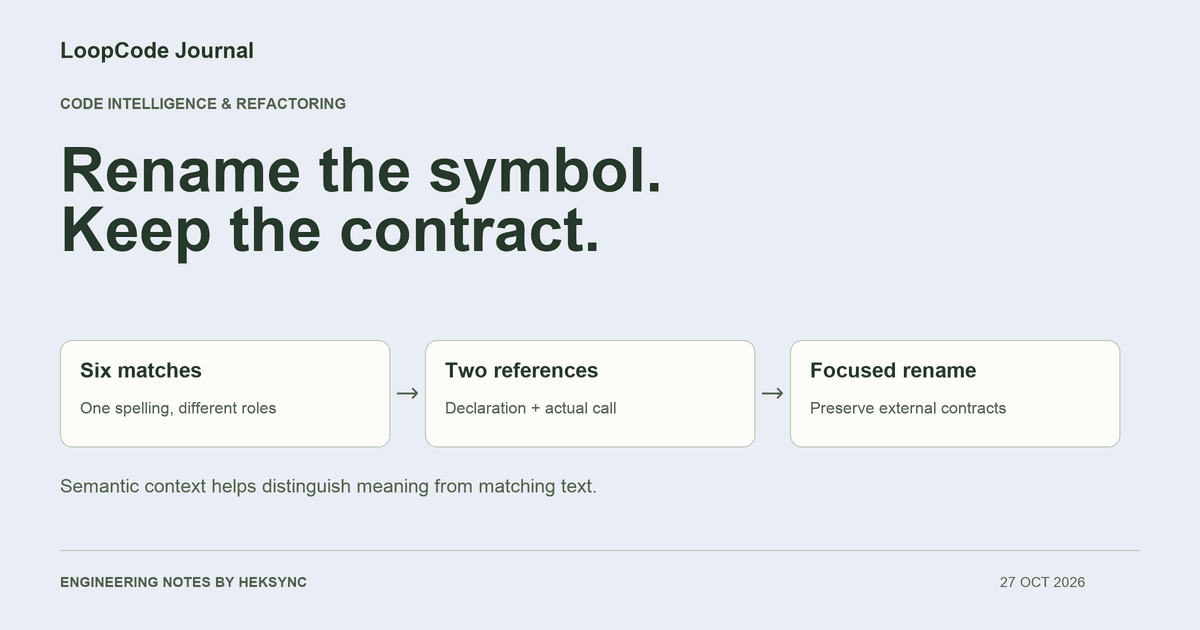
Suppose you want to rename calculateTotal to calculateInvoiceTotal. In the fixture below, that spelling appears six times. Two occurrences are the function declaration and its call. Two are a separate parameter and its use. One is an object property and one is a string that could represent a serialized metric name.
A global replacement changes all six. It can still compile, and the invoice calculation can still return the right number. Yet a consumer expecting the original property or metric label could break. That is why ‘the build passed’ is not enough evidence for an API-sensitive rename.
export function calculateTotal(price: number, quantity: number) {
  return price * quantity;
}

export function invoiceTotal() {
  return calculateTotal(12, 3);
}

// These are contracts and a different symbol, not calls to the function.
export const legacyPayload = { calculateTotal: "billing-v1" };
export const metricName = "calculateTotal";
export function unrelated(calculateTotal: number) {
  return calculateTotal + 1;
}
Ask what the identifier means at this position
Language servers expose capabilities such as definitions, references, diagnostics, and symbol rename. Microsoft documents these as language-aware features shared through the Language Server Protocol. Support depends on the particular server and its view of the project, rather than on the agent recognizing a familiar-looking filename.
LoopCode has Lsp navigation and LspRename tools. With an available, configured server, the agent can locate the definition, examine references, and request a rename as a set of edits. That gives it better evidence than replacing every matching word. It is still necessary to inspect the resulting diff and verify the behavior.
Before a real refactor, check that the server is ready and the relevant files belong to the intended project. Missing dependencies, an incomplete generated type layer, or an incorrect project root can make analysis incomplete. In LoopCode, /lsp shows the server state; the code-intelligence documentation explains configuration and language requirements.
What our offline experiment actually checked
We ran this original fixture through the TypeScript 5.8.3 compiler language service, requesting a rename at the function declaration with string and comment matching disabled. It returned two edit locations. Applying those edits changed the declaration and call, while preserving the object property, metric string, and unrelated parameter.
Both the original and renamed versions passed the fixture's syntax and semantic checks. Executing the transpiled code preserved the invoice result of 36, the unrelated function's result, and the original property and metric values. A global string replacement still compiled, but changed the property and metric contract. That is the specific failure this experiment illustrates.
This was a direct compiler-language-service check, not a recorded LoopCode run, not an LSP transport test, and not a benchmark of model accuracy. The fixture is intentionally small. It demonstrates why the right kind of context matters without claiming that a language server finds every consumer of a real application.
Some contracts live outside the symbol graph
Text search still belongs in the workflow. After the semantic rename, search for the old spelling and classify the remaining matches. Some should stay, as in the metric label. Others may expose an external consumer the language service could not know about. Do not delete every remaining match just to make the search empty.
| Surface | Why it needs a separate check | Useful evidence |
|---|---|---|
| JSON fields and event names | A string can be consumed outside this project | Schema or consumer contract tests |
| Reflection and dynamically chosen keys | The name may be assembled at runtime | Focused search plus runtime coverage |
| Generated clients and templates | Source and generated output may have different owners | Generation command and downstream build |
| Other services or published packages | The server may only see this checkout | Compatibility policy and consumer tests |
A refactor request with a compatibility boundary
If the language server is unavailable, the agent should report that limitation and use a smaller, explicit investigation. It should not describe an ordinary search-and-edit operation as a semantic rename. For a public exported API, decide whether to preserve an alias or make a versioned breaking change before renaming anything.
Rename the internal calculateTotal function to calculateInvoiceTotal.
First find its definition and references using the configured language server.
Identify external contracts before proposing edits.

Preserve JSON keys, metric names, unrelated same-named symbols, and behavior.
Use a semantic rename if the server supports it; review the proposed edits.
Search the old spelling afterward and explain each remaining category.
Run the project's typecheck and relevant tests after the final edit.
Report changed files, command results, and consumers you could not verify.
Better context can also be smaller context
A reference list and a relevant function range can help an agent investigate without reading every file in a large repository. That is one way LoopCode's code-intelligence tools support focused context. The agent may still need surrounding types, configuration, tests, and callers; a smaller prompt is useful only if those essentials remain available.
We do not attach a token-saving percentage to this fixture. To evaluate efficiency on your project, record the same task and repository snapshot, the selected model, all attempts, the final checks, and your review effort. Compare accepted changes rather than celebrating a short answer that left a consumer broken.
KEEP GOING
A useful next step.
Put it to work in your project.
Desktop, CLI, and VS Code. One LoopCode account. Free to start.